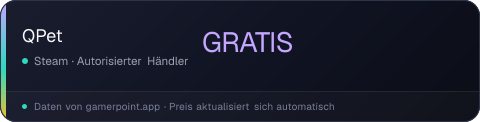
QPet
Die Preise unten sind die regulären / zuletzt bekannten Storefront-Preise — das Spiel ist weiterhin zum Vollpreis erhältlich.
⭐ Zu den Favoriten hinzufügen, um beim nächsten Angebot benachrichtigt zu werden.
Günstigste zuerst · nur autorisierte Händler
Regionale Preise
Der eigene Storefront-Preis jeder Region für den aktuell besten Deal — wir rechnen nie Währungen um.
Medien
Über das Spiel
One day, you found a lost little QPet. You feed her and play with her, and she soon makes herself at home on your screen. She works, plays, and dances to music—and even brings friends, turning your desktop into a lively, warm, and heartwarming little world.
[Features]
• Free desktop pet, cutely stays in the taskbar without interrupting your work or study.
• Cute, lively animations bring your QPet to life.
• Dances automatically to your music, with lots of dance animations.
• Support mouse interaction effects.
• Support import Chibi MMD models.
• Works on multiple monitors.
• Support Multi-language interface.
• Lightweight and optimized—runs smoothly even on low-end PCs.
• Compatible with other games, apps, and live wallpapers.
[NOTE]: QPet's buildin default character avatar “Kipfel” with permission from Mochiyama Kingyo. ©Mochiyama Kingyo
[Controls]
Select a character. Use the mouse wheel to resize all characters, or hold Ctrl and scroll to resize only the selected one.
Häufig gefragt
›Wo ist QPet gerade am günstigsten?
QPet ist derzeit kostenlos — erhältlich über Steam.
›Was sind die Systemanforderungen für QPet?
Die minimalen und empfohlenen PC-Anforderungen für QPet findest du weiter oben auf dieser Seite.
›Unterstützt QPet Deutsch?
QPet führt Deutsch nicht unter den auf Steam unterstützten Sprachen auf.
›Wie werde ich benachrichtigt, wenn QPet im Angebot ist?
Füge QPet in der GamerPoint-App zu deinen Favoriten hinzu und du erhältst sofort eine Benachrichtigung, wenn der Preis fällt. Mit dem Deal-Radar kannst du außerdem automatische Beobachtung nach Genre, Shop und Rabatt einrichten.
›Dieses Spiel teilen
Der Preis aktualisiert sich selbst, dein Beitrag bleibt also immer aktuell.
<iframe src="https://gamerpoint.app/embed/qpet?cur=EUR&lang=de" width="320" height="96" style="border:0" loading="lazy" title="QPet"></iframe>
<a href="https://gamerpoint.app/game/qpet">QPet - GamerPoint</a>
[URL=https://gamerpoint.app/game/qpet][IMG]https://gamerpoint.app/badge/qpet.png?cur=EUR&lang=de[/IMG][/URL]