CopperCube 5
Mais barato primeiro · apenas lojas autorizadas
CopperCube 5 está agora com 55% de desconto na Steam por 7,55 € (preço normal 16,79 €). Quem compra poupa 9,24 € nesta oferta.
Histórico de preços
Preços regionais
O preço de montra de cada região para a melhor oferta atual — nunca convertemos moedas.
Multimédia
Sobre o jogo
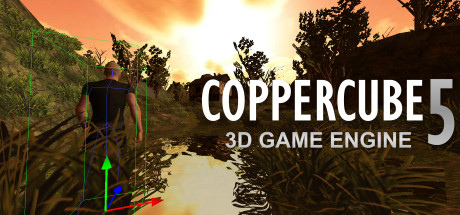
CopperCube is a full-featured 3D game engine. No programming needed! Create 3D games, apps and even 3D websites quickly. Includes terrain editor, low poly modelling tools, 3D models, precreated game AI, effects and more. There are also plenty of features for advanced users, like JavaScript scripting and shader support.
Create your own 3D worlds and 3D models, set camera controllers, materials, behaviors, click 'publish' and your game or app is ready. As Windows or Mac OS X apps, WebGL websites, Flash .swfs, or Android apps. You can do all this without programming.
High performance 3D engine
CopperCube includes manually optimized 3D engines for all supported targets, running with OpenGL, Direct3D, WebGL and Stage3D.
Simple-Click game system
No programming needed: Wether you want to create a simple 3D game, a complex, epic adventure, or a first person shooter: Select from lots of created behaviors and adjust them accordingly.
Terrain Editor
Create your own 3D worlds directly in the editor, textures can be painted quickly with automatic texture blending into the terrain. There are also tools for placing grass and bushes, and creating trees.
Physics Engine
Next to the the built-in blazingly fast collision and repsonse system, there is also a full physics engine integrated when publishing as Windows .exe and Mac OS X .app.
Character Animation
You can model and animate characters using any 3D software, export it into one of the supported file formats and then import them into Coppercube. Also, it is possible to download existing 3D models from the web and use them in the editor.
Low poly editing tools
You can edit your own 3D models directly in CopperCube: It includes a simple 3D modelling tool for creating levels, models and items.
Cross Platform Script system
For advanced users, there is a Javascript API working on all publishing targets. Additionally, when using Flash, you can use ActionScript 3. And for WebGL, there is even a second big JavaScript library with direct access available, which is even open source.
High quality Light Mapper
The editor includes a high quality light mapping tool. Place your lights, click on 'calculate' and your 3D levels will look great.
Native WebGL support
Unlike in other 3D engines, CopperCube's WebGL code is handwritten and highly optimized: Your 3D game will download quickly and run fast, even if run directly on a website. CopperCube's WebGL client is just about incredible 200 KB in size!
Many publishing targets
Create 3D games for these targets, with one single click:
• Windows (.exe) apps
• Mac OS X (.app) apps
• WebGL websites (.html)
• Android (.apk) apps
• Flash websites (.swf)
With the WebGL and Flash targets, your games work basically everywhere, even on iPhone and iPad.
This is the Basic Edition of CopperCube, with which it is possible to create games, apps and websites with a maximum of 10 scenes per file. It is possible to upgrade to the Professional Edition via DLC, which then adds video playback support, adds a scene metrics tool, allows unlimited scenes per file, and has further smaller advanced features, like a CL interface.
Perguntas frequentes
›Onde é que CopperCube 5 está mais barato agora?
CopperCube 5 está agora mais barato na Steam: 7,55 € (55% de desconto).
›Quais são os requisitos de sistema de CopperCube 5?
Os requisitos mínimos e recomendados de PC para CopperCube 5 estão indicados mais acima nesta página.
›CopperCube 5 tem suporte para português?
Sim — CopperCube 5 oferece interface em português.
›Como sou avisado quando CopperCube 5 entra em promoção?
Adicione CopperCube 5 aos favoritos na app GamerPoint e recebe uma notificação imediata quando o preço descer. Com o Radar de ofertas também pode configurar um acompanhamento automático por género, loja e percentagem de desconto.
›Partilhar este jogo
O preço atualiza-se sozinho, por isso a tua publicação fica sempre atual.
<iframe src="https://gamerpoint.app/embed/coppercube-5?cur=EUR&lang=pt" width="320" height="96" style="border:0" loading="lazy" title="CopperCube 5"></iframe>
<a href="https://gamerpoint.app/game/coppercube-5">CopperCube 5 - GamerPoint</a>
[URL=https://gamerpoint.app/game/coppercube-5][IMG]https://gamerpoint.app/badge/coppercube-5.png?cur=EUR&lang=pt[/IMG][/URL]